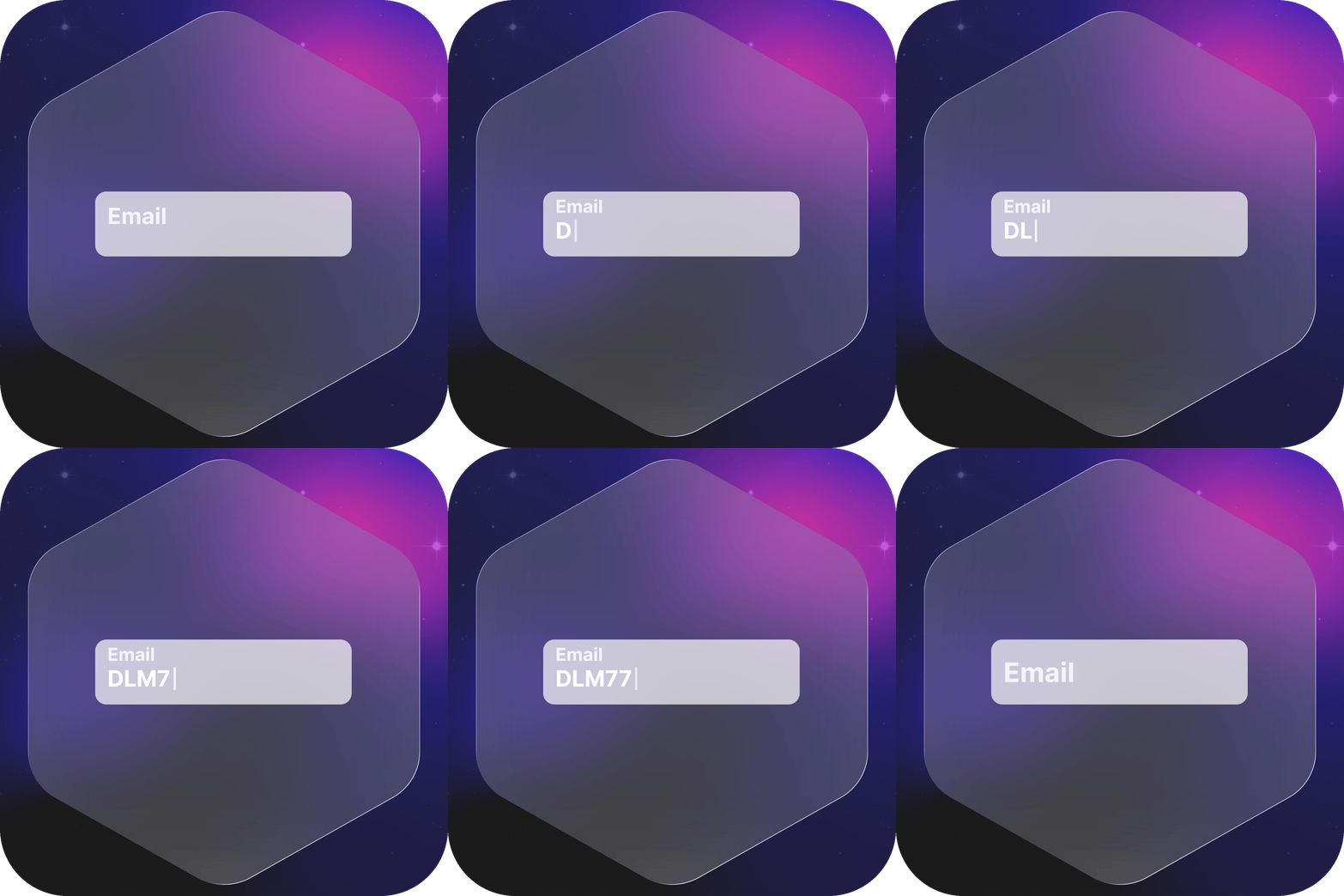
Smart Input Placeholders
Transform static placeholders into beautiful animated labels with balloon tooltips or floating effects.
5
Rating
42
Installs
v1.1.3
Version
Smart Input Placeholders uses Tippy.js to animate input placeholder text when users focus on fields. Simply set the ID Attribute field on your Bubble inputs, drag the plugin element onto your page, and enter the matching ID. The plugin automatically detects your inputs and transforms their placeholders into beautiful animated labels.
Choose between Balloon Style for colorful tooltip balloons with arrows, or Adaptive Placeholder for minimal floating labels with inside or outside positioning. Both styles preserve the original placeholder text and work with dynamically added fields including repeating groups and conditionals.
When to Use
Everything you need in a single plugin
Login and Registration Forms
Enhance authentication experiences with animated email and password labels. Creates a modern, polished interface that guides users through signup and login processes.
Contact Forms
Add professional placeholder effects to name, email, and message fields. Labels remain visible during typing, reducing confusion and improving form completion rates.
Profile Editing Pages
Provide clear field identification in account settings and profile editors. Animated labels help users understand which fields they're editing at any moment.
Search Bars
Create engaging search experiences with dynamic placeholder animations. Draw attention to search fields and provide clear guidance on search functionality.
Multi-Step Forms
Maintain consistent label behavior across form steps. Smooth animations create a cohesive experience throughout complex form journeys and reduce user cognitive load.
Benefits
Everything you need in a single plugin
Two Distinct Styles
Choose between Balloon Style with colored tooltips and arrows, or Adaptive Placeholder with minimal floating labels. Each style offers unique visual effects for different design needs.
Smooth Animations
Fluid transitions powered by Tippy.js and CSS animations create professional, polished form interactions. Configurable timing and positioning for perfect user experience.
Full Color Control
Customize balloon background and text colors, or adaptive label colors to match your brand perfectly. Supports hex, RGB, and RGBA color formats.
ID-Based Targeting
Target specific inputs using ID Attribute field matching. Flexible partial or starts-with matching allows precise control over which fields receive animations.
Dynamic Field Detection
MutationObserver automatically detects and animates dynamically added inputs. Works seamlessly with repeating groups, conditionals, and workflow-added fields.
Placeholder Preservation
Original placeholder text is stored and restored when appropriate. Smart logic ensures placeholders return when fields are empty and stay hidden when filled.
Zero Configuration
No workflow actions or complex setup required. Just set ID Attribute on inputs and Input ID in plugin element—animations work automatically.
Responsive Behavior
Adapts perfectly to input and textarea elements across all screen sizes. Smooth animations work flawlessly on desktop, tablet, and mobile devices.
Key Features
Everything you need in a single plugin
Balloon Style Tooltips
- Colored balloon with customizable background and text colors
- Arrow pointing down to input field
- Smooth scale and translate animation (0.3s)
- Top-start placement with 8px offset
- 5px border radius for modern appearance
- Perfect for playful, eye-catching designs
Adaptive Floating Labels
- Minimal floating text with transparent background
- Scales to 70% size during transition
- Inside or outside positioning control
- Smooth 0.2s ease-in-out animation
- Material design inspired aesthetics
- Professional, clean form styling
ID Attribute Targeting
- Target inputs using ID Attribute field value
- Balloon Style uses partial matching (contains)
- Adaptive Placeholder uses starts-with matching
- Supports dynamic values in Input ID field
- Flexible targeting for multiple inputs
- Clear, predictable selection logic
Automatic Placeholder Management
- Stores original placeholder on focus
- Clears input placeholder while focused
- Displays placeholder as animated label
- Restores placeholder when empty and unfocused
- Keeps placeholder hidden when field has value
- Smart state management with data attributes
Multiline Support
- Works with both input and textarea elements
- Automatically detects textarea elements
- Adjusted positioning for multiline fields
- Consistent appearance across field types
- Separate styling rules for multiline inputs
- Seamless integration with all text inputs
Position Control
- Inside position: Label floats within field boundary (-1em)
- Outside position: Label floats above field boundary (-2.2em)
- Dropdown selection in Adaptive Placeholder
- Optimized for different input styles
- Best positioning for bordered vs borderless inputs
- Full control over label placement
Common Questions
Everything you need to know before installing
Do I need to set the ID Attribute field?
Yes, the ID Attribute field in your Bubble input is required for the plugin to target and animate that input. Set a unique identifier in the ID Attribute field, then enter the same value in the plugin element's Input ID field.
What's the difference between Balloon Style and Adaptive Placeholder?
Balloon Style creates colorful tooltip balloons with arrows above inputs. Adaptive Placeholder creates minimal floating labels with no background. Balloon is playful and eye-catching; Adaptive is professional and minimal. Choose based on your design aesthetic.
Can I use both styles on the same page?
Yes, place both plugin elements on your page with different Input ID values. Each element will target its specified inputs independently. You can mix styles across different form sections.
Does it work with repeating groups?
Yes, the plugin uses MutationObserver to automatically detect dynamically added inputs, including those in repeating groups, conditionals, and popup elements. No additional configuration needed.
How does ID matching work?
Balloon Style uses partial matching—"email" matches any ID containing "email". Adaptive Placeholder uses starts-with matching—"email" only matches IDs that start with "email". Choose specific IDs to avoid unintended targeting.
Can I customize the animation speed?
The animation speeds are optimized and built into the plugin (0.3s for Balloon, 0.2s for Adaptive). These timings provide the best user experience and cannot be customized without modifying the plugin code.
What if my input doesn't have a placeholder?
The plugin requires placeholder text to work. Set the Placeholder field in your Bubble input element—this text becomes the animated label. If no placeholder exists, the animation won't appear.
Which position should I use for Adaptive Placeholder?
Use "inside" position for inputs with visible borders and padding, where the label floats to the top edge within the field boundary. Use "outside" for borderless or minimal inputs, where the label floats completely above the field.
Does it affect form submission?
No, the plugin only affects visual presentation. Form submission, validation, and data handling work exactly as configured in Bubble. The plugin doesn't modify input values or form behavior.
Can I use dynamic values for Input ID?
Yes, the Input ID field supports dynamic values. You can use custom states, database fields, or calculations to dynamically target different inputs based on conditions or user interactions.